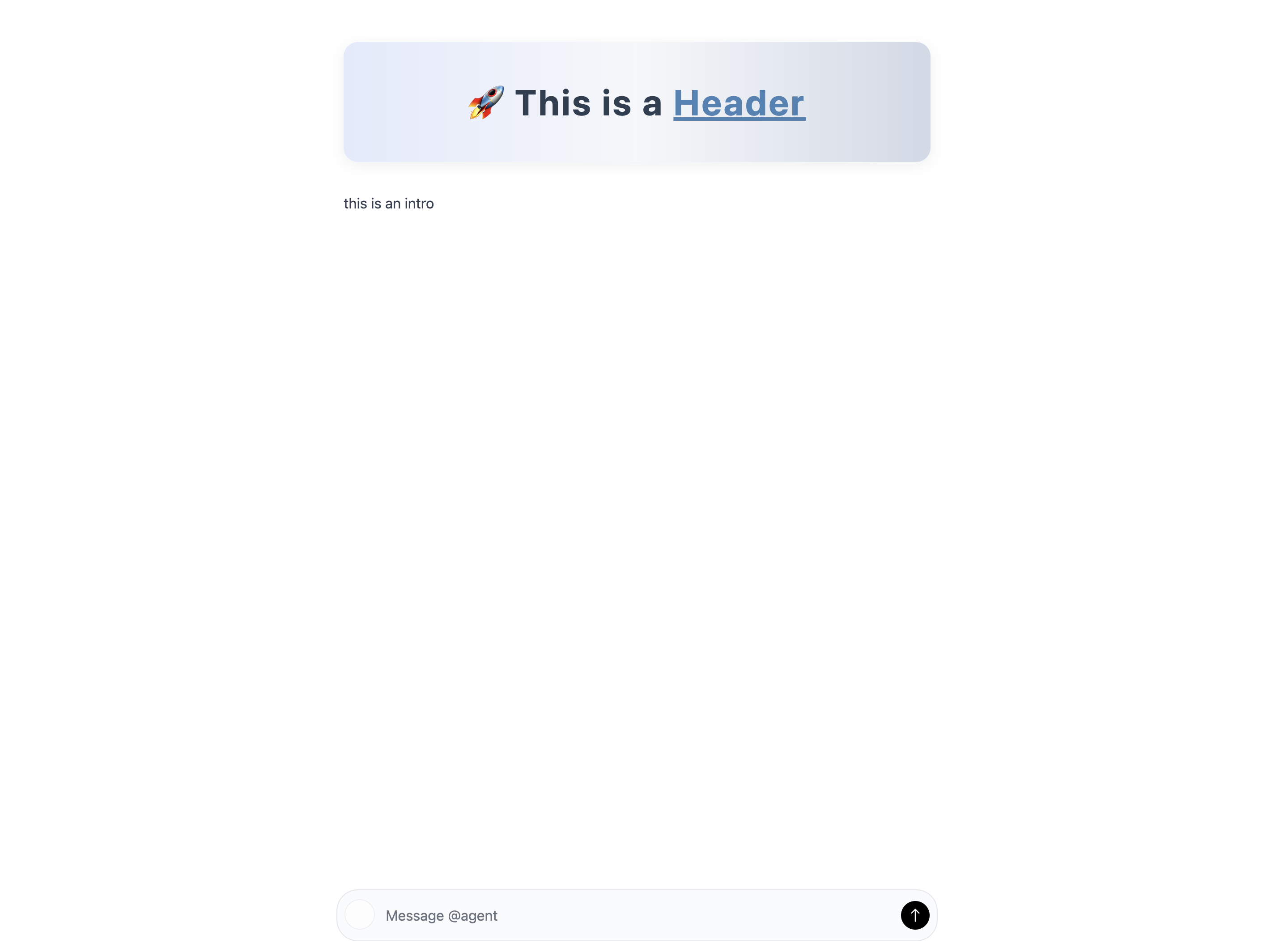
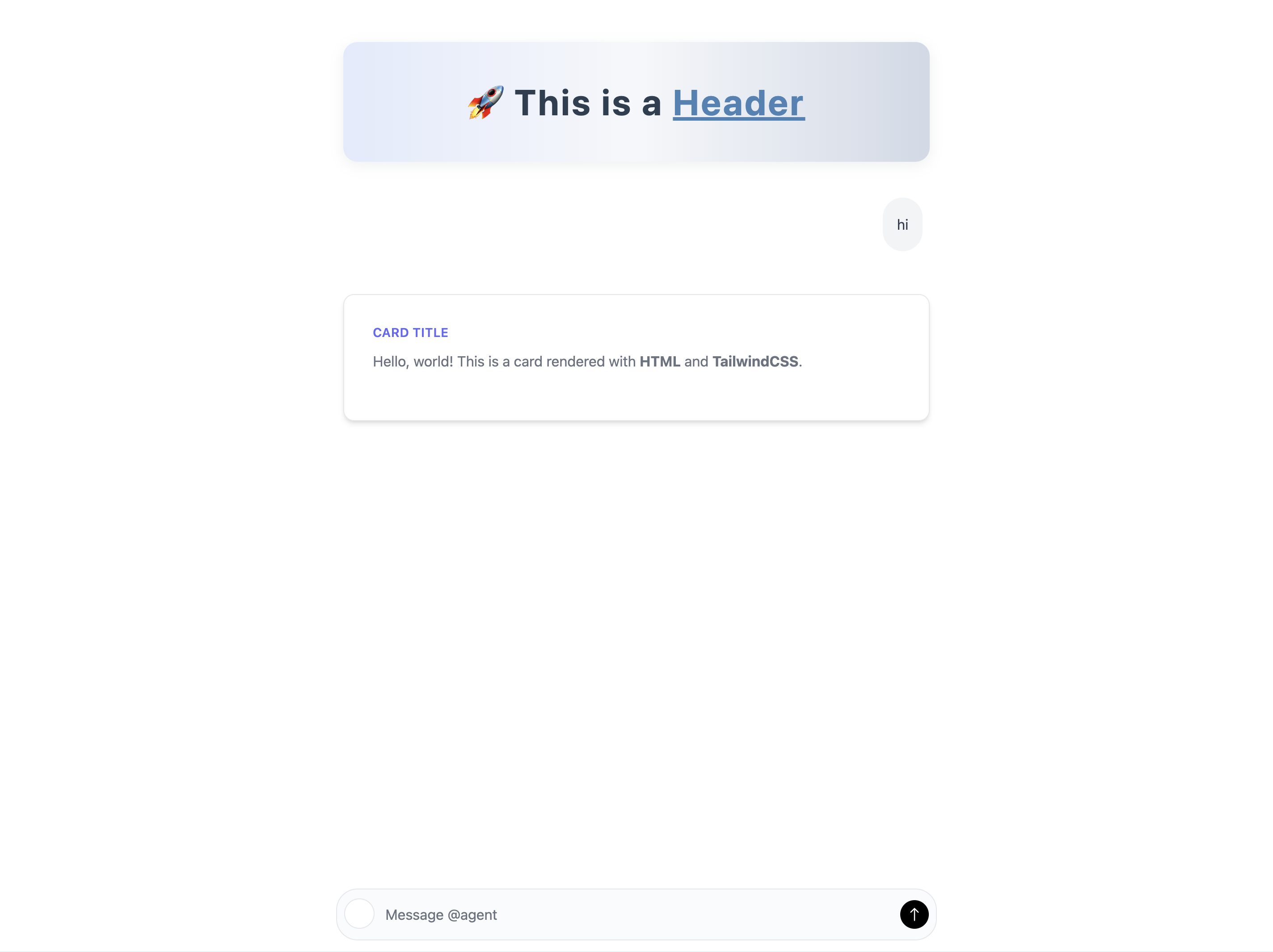
# Changelog Source: https://docs.cycls.com/changelog Product updates and announcements * **New `@cycls.app()` decorator** - Simplified API with all configuration in one place. Replaces `cycls.Agent()` and `@agent()`. * **New deployment methods** - Use `app.local()` for development with hot-reload, and `app.deploy()` for cloud deployment. * **Native UI components** - Stream rich content with thinking bubbles, code blocks, tables, callouts, images, and status indicators by yielding structured objects. * **Cycls Protocol** - New `/chat/cycls` endpoint for streaming native UI components alongside the OpenAI-compatible `/chat/completions` endpoint. * **Cycls Pass monetization** - Enable subscription-based access with `plan="cycls_pass"` and gate features based on `context.user.plan`. * **Auto .env loading** - Cycls automatically loads `.env` files when using `copy=[".env"]`. No need for `python-dotenv`. * **Claude Agent SDK integration** - New guide for building agents with Anthropic Claude and tool support. * The chat interface has been redesigned for a cleaner look and now supports image attachments. * Deprecated `agent.local()` in favor of `agent.deploy(prod=False)`. This creates a full Docker build locally, matching the production environment. * Cycls Cloud is now live for serverless agent deployment (`agent.deploy(prod=True)`). * You can now set a custom title for your agent using the `title` parameter in the `@agent` decorator. * Added `copy_public` parameter to `cycls.Agent()` for easily copying public assets (like logos) to the frontend. * Replaced multiple API keys with a single `key` parameter in `cycls.Agent()` for cloud deployment authentication. * Cycls is now open-source [GitHub](https://github.com/Cycls/cycls). * Use `agent.local()` to serve an agent locally and `agent.deploy()` to deploy it to the Cycls cloud. * Use `@agent()` decorator to define agent configuration, including `pip`/`apt` dependencies and authentication rules, directly within a Python script. * All deployed agents now automatically serve a streaming, OpenAI-compatible `/chat/completions` API endpoint. * Auto generated, customizable web chat UI for every agent. * Built-in user and context management to enable the creation of stateful, multi-turn agents. # Build Agents Source: https://docs.cycls.com/core-concepts/agent Configure, secure, and deploy your AI agent. The `@cycls.app()` decorator is your main interface for configuring dependencies, authentication, and deployment settings. Write a function, decorate it, and Cycls handles the rest. Here is a full example of an agent configuration: ```python theme={null} import cycls @cycls.app( pip=["openai", "pandas"], # Python packages to install apt=["ffmpeg"], # System packages via apt copy=["data.csv", ".env"], # Local files to bundle copy_public=["logo.png"], # Public assets (images, etc.) auth=True # Enable authentication ) async def app(context): # Your agent logic here yield "Hello! I am ready to help." # Run locally for development app.local() ``` ## Deployment Modes ### Local Development (`app.local()`) Running `app.local()` builds a portable Docker image containing your agent and all dependencies. The image includes a pre-configured **FastAPI** server that serves the REST API and the web interface. **Requirement:** You must have [Docker](https://www.docker.com/) installed and running. ```python theme={null} app.local() ``` You will see the build logs and your local URL: ```bash theme={null} Successfully built de0e95b9ae6d Successfully tagged cycls/app:52afe9dc9be77162 ---------------------------------------- ✅ Base image built successfully --- 🪵 Container Logs (streaming) --- 🔨 Visit app => http://localhost:8080 INFO: Started server process [1] INFO: Application startup complete. ``` * **Result:** A locally running Docker container serving your agent. * **Hot Reload:** By default, the server watches for file changes and restarts automatically. * **Portability:** You can take this image and deploy it to any cloud provider or on-premise server. * **URL:** `http://localhost:8080` #### Development Options ```python theme={null} # Standard development with hot-reload app.local() # Disable file watching app.local(watch=False) ``` ### Cloud Deployment (`app.deploy()`) Running `app.deploy()` auto-builds your agent and deploys it to Cycls' serverless infrastructure in a single command. ```python theme={null} import cycls import os # Set your API key cycls.api_key = os.getenv("CYCLS_API_KEY") @cycls.app(pip=["openai"]) async def app(context): yield "Hello from the cloud!" app.deploy() ``` * **Result:** A live, auto-scaling API and web interface. * **Features:** Managed SSL, built-in auth, global CDN. * **URL:** `https://.cycls.ai` ## Configuration Reference ### `@cycls.app()` Decorator The decorator transforms your function into a deployable agent with all configuration in one place. List of Python package names to install (e.g., `["openai", "pandas"]`). System-level dependencies to install via apt (e.g., `["ffmpeg"]`). List of local files or directories to bundle with your agent (e.g., `[".env", "data"]`). List of local files to copy to the public assets folder (e.g., `["logo.png"]`). Accessible via `/public` endpoint. If `True`, enables built-in user authentication (Sign in with Google/Email). Default is `False`. Set to `"cycls_pass"` to enable Cycls Pass monetization with automatic feature gating. ### `app.local()` * `True` (default): Enables hot-reload, automatically restarting on code changes. * `False`: Runs without file watching. ### `app.deploy()` Deploys your agent to the Cycls cloud. Requires `cycls.api_key` to be set. ```python theme={null} import cycls cycls.api_key = "your-api-key" app.deploy() ``` ## Next Steps Learn how to use context to access conversation history. # Agent API Source: https://docs.cycls.com/core-concepts/agent-api Learn how to interact with your deployed agent via the streaming APIs ## Overview Every agent automatically exposes two streaming API endpoints: * **OpenAI-compatible endpoint** (`/chat/completions`) - Works with any OpenAI SDK * **Cycls Protocol endpoint** (`/chat/cycls`) - Native protocol with rich UI components ## API Endpoints Your agent exposes these endpoints: **Local Development (`app.local()`)**: ``` POST http://localhost:8080/chat/completions # OpenAI-compatible POST http://localhost:8080/chat/cycls # Cycls Protocol ``` **Cloud Deployment (`app.deploy()`)**: ``` POST https://.cycls.ai/chat/completions # OpenAI-compatible POST https://.cycls.ai/chat/cycls # Cycls Protocol ``` ## OpenAI-Compatible API The `/chat/completions` endpoint follows the standard OpenAI chat completion format, making it compatible with any OpenAI SDK or client. ### Request Format ```json theme={null} { "model": "app", "messages": [ {"role": "user", "content": "Hello, how are you?"} ], "stream": true } ``` ### Using cURL ```bash theme={null} curl -X POST http://localhost:8080/chat/completions \ -H "Content-Type: application/json" \ -d '{ "model": "app", "messages": [ {"role": "user", "content": "Hello!"} ], "stream": true }' ``` ### Using the OpenAI Python SDK ```python theme={null} from openai import OpenAI client = OpenAI( api_key="not-needed", # Use your api_token if auth=True base_url="http://localhost:8080" ) response = client.chat.completions.create( model="app", messages=[ {"role": "user", "content": "Write a poem about AI"} ], stream=True ) for chunk in response: if chunk.choices[0].delta.content: print(chunk.choices[0].delta.content, end="") ``` ### Using the OpenAI JavaScript SDK ```javascript theme={null} import OpenAI from 'openai'; const openai = new OpenAI({ apiKey: 'not-needed', baseURL: 'http://localhost:8080' }); const stream = await openai.chat.completions.create({ model: 'app', messages: [ { role: 'user', content: 'Hello from JavaScript!' } ], stream: true, }); for await (const chunk of stream) { process.stdout.write(chunk.choices[0]?.delta?.content || ''); } ``` ## Cycls Protocol The `/chat/cycls` endpoint uses Server-Sent Events (SSE) to stream rich UI components including thinking bubbles, code blocks, tables, and more. ### Request Format ```json theme={null} { "messages": [ {"role": "user", "content": "Hello!"} ] } ``` ### Response Format The response streams SSE events with JSON payloads: ``` data: {"type": "text", "text": "Hello! "} data: {"type": "text", "text": "How can I help?"} data: {"type": "thinking", "thinking": "Processing..."} data: {"type": "code", "code": "print('hello')", "language": "python"} data: [DONE] ``` ### Message Structure Assistant responses contain a `parts` array: ```json theme={null} { "role": "assistant", "parts": [ {"type": "text", "text": "Here's the answer:"}, {"type": "thinking", "thinking": "Let me explain..."}, {"type": "code", "code": "x = 1", "language": "python"} ] } ``` ### Supported Component Types | Type | Fields | Description | | ---------- | --------------------------- | ------------------ | | `text` | `text` | Markdown text | | `thinking` | `thinking` | Reasoning bubble | | `code` | `code`, `language` | Code block | | `table` | `headers`, `rows` | Data table | | `callout` | `callout`, `style`, `title` | Alert box | | `image` | `src`, `alt`, `caption` | Image | | `status` | `status` | Progress indicator | ## Authentication ### Public Access (`auth=False`) If your agent is public, API endpoints are open: ```python theme={null} @cycls.app(auth=False) async def app(context): yield "Hello!" ``` ### Protected Access (`auth=True`) If your agent requires auth, include a Bearer token: ```python theme={null} @cycls.app(auth=True, api_token="sk-your-token") async def app(context): yield f"Hello, {context.user.name}!" ``` ```bash theme={null} curl -X POST http://localhost:8080/chat/completions \ -H "Content-Type: application/json" \ -H "Authorization: Bearer sk-your-token" \ -d '{ "model": "app", "messages": [{"role": "user", "content": "Hello!"}], "stream": true }' ``` ## Next Steps Learn how to secure your agent with built-in user authentication. # Customize UI Source: https://docs.cycls.com/core-concepts/agent-ui Learn how to customize your agent's web interface and use native UI components ## Overview Every agent comes with a beautiful web UI out of the box. The interface supports both static customization (header/intro) and **native UI components** that stream rich content progressively to users. ## Default Web UI When you deploy your agent, it automatically gets a web interface accessible at your agent's URL. The default UI includes: * **Chat Interface**: A modern, responsive chat interface * **Message History**: Automatic conversation history management * **Real-time Streaming**: Support for streaming responses * **Native UI Components**: Rich components like thinking bubbles, code blocks, tables, and more * **Mobile Responsive**: Works seamlessly on all devices * **Auto RTL Support**: Automatically supports right-to-left languages ## Native UI Components Cycls provides native UI components that render beautifully in the chat interface. Simply yield structured objects to display rich content that streams progressively. ### Text Plain strings are rendered as markdown text with full formatting support. ```python theme={null} @cycls.app() async def app(context): yield "Hello! Here's some **bold** and *italic* text." yield "\n\n## A Heading\n\nAnd a paragraph below it." ``` ### Thinking Bubbles Show your agent's reasoning process with collapsible thinking bubbles. ```python theme={null} @cycls.app() async def app(context): yield {"type": "thinking", "thinking": "Let me analyze this question..."} yield {"type": "thinking", "thinking": "Considering multiple approaches..."} yield "Based on my analysis, here's the answer:" ``` ### Code Blocks Display syntax-highlighted code with language detection. ```python theme={null} @cycls.app() async def app(context): yield { "type": "code", "code": "def hello():\n print('Hello, World!')", "language": "python" } ``` ### Tables Stream tables row-by-row for progressive rendering. ```python theme={null} @cycls.app() async def app(context): yield { "type": "table", "headers": ["Name", "Age", "City"], "rows": [ ["Alice", "30", "New York"], ["Bob", "25", "San Francisco"], ["Charlie", "35", "Chicago"] ] } ``` ### Callouts Display styled callout boxes for important information. ```python theme={null} @cycls.app() async def app(context): yield { "type": "callout", "callout": "This operation completed successfully!", "style": "success", "title": "Success" } yield { "type": "callout", "callout": "Please review before proceeding.", "style": "warning", "title": "Warning" } yield { "type": "callout", "callout": "Here's some helpful information.", "style": "info", "title": "Info" } yield { "type": "callout", "callout": "An error occurred during processing.", "style": "error", "title": "Error" } ``` **Available styles:** `success`, `warning`, `info`, `error` ### Images Display images with optional captions. ```python theme={null} @cycls.app() async def app(context): yield { "type": "image", "src": "https://example.com/image.png", "alt": "Description of image", "caption": "Figure 1: An example image" } ``` ### Status Indicators Show progress or status updates during long operations. ```python theme={null} @cycls.app() async def app(context): yield {"type": "status", "status": "Processing your request..."} # ... do work ... yield {"type": "status", "status": "Almost done..."} yield "Here are the results!" ``` ## Component Reference | Type | Key Fields | Description | | ---------- | --------------------------- | ----------------------------- | | `text` | `text` | Markdown-formatted text | | `thinking` | `thinking` | Collapsible reasoning bubble | | `code` | `code`, `language` | Syntax-highlighted code block | | `table` | `headers`, `rows` | Streaming table | | `callout` | `callout`, `style`, `title` | Styled alert box | | `image` | `src`, `alt`, `caption` | Image with caption | | `status` | `status` | Progress indicator | ## Header and Intro Customization You can also customize the header and introduction sections using HTML and TailwindCSS: ```python theme={null} import cycls import urllib.parse header = """
Welcome to My Agent

Your AI-powered assistant for exploring new ideas.

""" intro = f""" """ @cycls.app(copy_public=["logo.png"], header=header, intro=intro) async def app(context): yield "Hello! How can I help you today?" app.local() ``` ### Styling Guidelines * **HTML Support**: Full HTML5 support with inline styles * **TailwindCSS**: Complete TailwindCSS framework available * **Raw Tags**: Wrap custom HTML in `` tags to prevent escaping * **Responsive Design**: Use TailwindCSS responsive classes for mobile compatibility * **Clickable Links**: Use `urllib.parse.quote` to encode messages in links ## Clickable Links Create clickable links that automatically send encoded text to the chat: ```python theme={null} import urllib.parse @cycls.app() async def app(context): link = f"https://cycls.com/send/{urllib.parse.quote('Tell me more')}" yield f"Click here to [learn more]({link})" ``` ### Link Format ``` [Link Text](https://cycls.com/send/Encoded%20message) ``` ## Custom Frontend Applications You can connect any custom frontend to your agent using the OpenAI-compatible API at `/chat/completions` or the Cycls Protocol at `/chat/cycls`. ## Next Steps Learn about the built-in REST API and streaming protocols. # User Authentication Source: https://docs.cycls.com/core-concepts/auth Secure your agent with built-in authentication and monetization. Cycls provides built-in authentication to secure your agents. By setting `auth=True`, you can gate access to your agent and manage users effortlessly. ## Enabling Auth To enable authentication, pass `auth=True` to the `@cycls.app()` decorator: ```python theme={null} import cycls @cycls.app(auth=True) async def app(context): # Only authenticated users can reach this code user = context.user yield f"Hello, {user.email}!" app.local() ``` ## Accessing User Data When `auth=True`, the `context.user` object is populated with the authenticated user's information: ```python theme={null} import cycls @cycls.app(auth=True) async def app(context): user = context.user yield f"Hello, {user.name}!\n" yield f"Email: {user.email}\n" yield f"Organization: {user.org}\n" yield f"Plan: {user.plan}" app.local() ``` ### User Properties | Property | Type | Description | | :------- | :------- | :---------------------------------- | | `id` | `string` | Unique identifier for the user | | `email` | `string` | User's email address | | `name` | `string` | User's full name | | `org` | `string` | Organization ID the user belongs to | | `plan` | `string` | User's subscription plan | ## Monetization with Cycls Pass Enable subscription-based access with `plan="cycls_pass"`: ```python theme={null} import cycls @cycls.app(auth=True, plan="cycls_pass") async def app(context): user = context.user if user.plan == "cycls_pass": yield "Welcome, premium user! Here's your exclusive content." else: yield "Upgrade to Cycls Pass for premium features!" app.local() ``` When `plan="cycls_pass"` is set: * Users are prompted to subscribe via Cycls Pass * Subscription status is available via `context.user.plan` * You can gate features based on the user's plan ## User Management When auth is enabled, Cycls handles the entire login flow: * Sign up / Sign in UI * Email verification * Session management * JWT token handling User management via the [Cycls Dashboard](https://cycls.com/dashboard) is coming soon. ## Next Steps Deploy your agent to a global serverless network. # Manage Context Source: https://docs.cycls.com/core-concepts/context Learn how to work with context data ## The Context Object The `context` parameter provides access to conversation history and user data in your agent functions. ```python theme={null} @cycls.app() async def app(context): # Access conversation history messages = context.messages # Access the latest message latest_msg = messages[-1] yield f"You said: {latest_msg['content']}" ``` ### Context Properties The conversation history in OpenAI format. Contains all previous messages in the conversation. User information object when `auth=True`. (See [Authentication](/core-concepts/auth) for details). ### Message Format The `context.messages` follows the standard OpenAI message format, which can include text and images (multimodal). Here is an example of what `context.messages` looks like: ```python theme={null} [ {'role': 'user', 'content': 'hello'}, {'role': 'assistant', 'content': 'Hello! How can I assist you today?'}, {'role': 'user', 'content': [ {'type': 'image_url', 'image_url': {'url': 'https://.../image.png'}} ]}, {'role': 'assistant', 'content': "It looks like you're looking at an image..."}, ] ``` ### Working with Messages You can easily process these messages to extract text or pass them directly to an LLM. ```python theme={null} import cycls @cycls.app(pip=["openai"]) async def app(context): from openai import AsyncOpenAI client = AsyncOpenAI() response = await client.chat.completions.create( model="gpt-4o-mini", messages=context.messages, stream=True ) async for chunk in response: content = chunk.choices[0].delta.content if content: yield content app.local() ``` ## Next Steps Tailor the chat interface to match your brand. # Cloud Deployment Source: https://docs.cycls.com/core-concepts/deployment Deploy your agent to a global serverless network. Deploying your agent to production takes just one command. Cycls handles the infrastructure, scaling, and security for you. ## Getting Started Before deploying your agent, you'll need a Cycls API key. 1. Go to the [Cycls Console](https://cycls.com/auth/sign-in) and sign in or create an account. 2. Navigate to the API Keys section. 3. Create a new API key and copy it securely. ## Deploying to Production To deploy your agent, set your API key and call `app.deploy()`: ```python theme={null} import cycls import os cycls.api_key = os.getenv("CYCLS_API_KEY") @cycls.app(pip=["openai"], copy=[".env"]) async def app(context): from openai import AsyncOpenAI client = AsyncOpenAI() response = await client.chat.completions.create( model="gpt-4o-mini", messages=context.messages, stream=True ) async for chunk in response: content = chunk.choices[0].delta.content if content: yield content app.deploy() ``` ## Environment Variables & Secrets Create a `.env` file in your project root and include it with `copy=[".env"]`: ```env theme={null} CYCLS_API_KEY=cy-... OPENAI_API_KEY=sk-... ``` Cycls automatically loads the `.env` file—environment variables are available via `os.getenv()` inside your function without needing any additional packages. ```python theme={null} import cycls import os cycls.api_key = os.getenv("CYCLS_API_KEY") @cycls.app(pip=["openai"], copy=[".env"]) async def app(context): from openai import AsyncOpenAI # Environment variables from .env are automatically loaded client = AsyncOpenAI(api_key=os.getenv("OPENAI_API_KEY")) response = await client.chat.completions.create( model="gpt-4o-mini", messages=context.messages, stream=True ) async for chunk in response: content = chunk.choices[0].delta.content if content: yield content app.deploy() ``` ## What Happens During Deployment? When you run `app.deploy()`, Cycls performs the following steps: 1. **Build**: Creates a Docker image containing your code, dependencies (`pip`), and system packages (`apt`). 2. **Push**: Uploads the image to the private Cycls Container Registry. 3. **Provision**: Sets up the serverless infrastructure to host your agent. 4. **Deploy**: Launches your agent and assigns it a permanent URL (e.g., `https://app.cycls.ai`). ## Deployment Output ```bash theme={null} 🚀 Deploying... ✅ Deployment successful! 🔗 Service is available at: https://app.cycls.ai ``` ## Updating Your Agent To update your agent, simply make changes to your code and run the script again. Cycls will build a new version and seamlessly update the deployment with zero downtime. ## Local vs Cloud | Feature | `app.local()` | `app.deploy()` | | ---------- | ----------------------- | ------------------------- | | URL | `http://localhost:8080` | `https://.cycls.ai` | | Hot Reload | Yes (default) | No | | SSL | No | Yes (automatic) | | Scaling | Single container | Auto-scaling | | Auth | Optional | Optional | ## Monitoring & Management The [Cycls Dashboard](https://cycls.com/dashboard) lets you monitor your agent's performance, view real-time logs, and manage your deployments. # Getting Help Source: https://docs.cycls.com/get-started/getting-help Connect with builders, get technical support, and learn how to ship your AI agents. ## Need help? Head over to our [Discord community](https://discord.gg/cycls) for help and insights from the team. ## Building with Cycls? Share what you’re building on [X](https://x.com/cycls_), [LinkedIn](https://www.linkedin.com/company/cycls/) or join our [Discord](https://discord.gg/cycls) to connect with other builders. ## Looking for dedicated support? We’ve helped many companies turn ideas into AI products. [Book a call](https://cal.com/cycls/30min) to get started. # What is cycls? Source: https://docs.cycls.com/get-started/overview Cycls is an open-source SDK and Cloud platform for AI distribution. Cycls provides the complete infrastructure to build, run, and ship your agents: * **Open-source SDK** that manages dependencies, context, and UI directly in Python, auto-compiling everything into a portable Docker container. Zero Dockerfiles, YAML, or config required. * **Agent Runtime** that wraps your code in a pre-built FastAPI app. Includes a secure REST API, web interface, and OpenAI-compatible endpoint out of the box. * **Serverless Cloud** to build and deploy your agents instantly. Just call `app.deploy()` and we handle the remote build, serverless hosting, and auto-scaling, giving you a live public link (e.g., `agent.cycls.ai`) with built-in authentication and monetization. ## Example Here is an example of an Agent that defines its own environment, connects to OpenAI, and serves a secure chat interface—all in one file. ```python theme={null} import cycls # Define your app with dependencies declared in the decorator @cycls.app(pip=["openai"]) async def app(context): from openai import AsyncOpenAI client = AsyncOpenAI() response = await client.chat.completions.create( model="gpt-4o-mini", messages=context.messages, stream=True ) async for chunk in response: content = chunk.choices[0].delta.content if content: yield content # Run locally for development app.local() ``` Here is how the agent looks in action: